How to Set Up IPTV on Firestick: The Ultimate AU IPTV Pro Guide
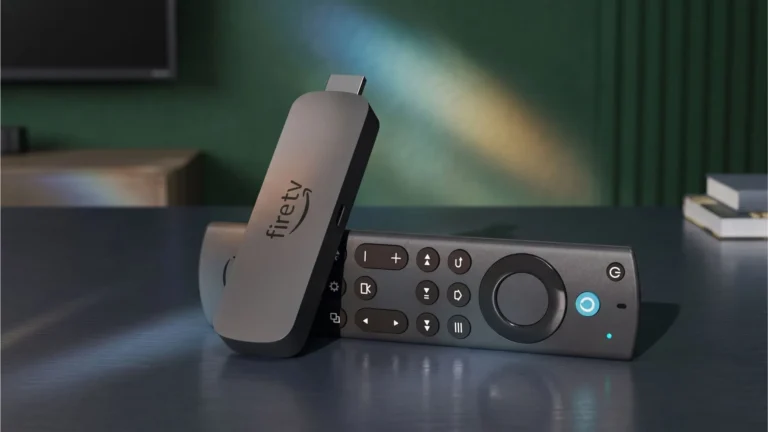
The Amazon Firestick is one of the most popular streaming devices in the world, and for a good reason. When paired with a premium service like…
If you’ve looked at a Foxtel bill lately, you already know why IPTV has taken off in Australia. For less than the cost of one month of pay TV, an IPTV Australia subscription gets you tens of thousands of channels, on-demand movies, and picture quality up to 4K, all delivered over the internet connection you already have.
The setup is the easy part. No technician, no dish, no real technical skill required. Here’s what to know before you sign up, and how to get everything running.
IPTV delivers television over the internet instead of through a satellite dish or cable box. Because the channels arrive as data, the lineup isn’t limited to whatever a local broadcaster decides to carry.
The numbers explain the appeal. A good IPTV Australia service in 2026 offers around 28,000 live channels plus a large on-demand library of movies and series. Leading providers in this space carry customer ratings around 4.9/5, which says a lot about how far the technology has come from the stuttering streams of a few years ago.
When comparing providers, the ones worth paying for share a few things: anti-freeze server technology, an electronic program guide (EPG) so you can actually browse those 28,000 channels, instant activation after payment, and 24/7 support when something breaks at 9pm on a Saturday.
Most IPTV Australia providers sell plans by duration rather than by channel package. Current pricing from one of the leading services:
The annual plan works out to about $7.30 a month. A base Foxtel package costs more than that in a single month. If you’d rather test the waters first, the 1-month plan is the sensible entry point: it’s cheap enough to be a trial, and it gives you a real read on how the streams behave on your connection before you commit to a year.
Pretty much anything with a screen and an internet connection works:
If your TV is a smart model from the last five years or so, you can skip extra hardware entirely.
1. Pick a plan and subscribe. Choose your duration on the provider’s site and check out like any normal online purchase.
2. Check your email. Your login details arrive within a few minutes, usually as a username and password, and sometimes as an M3U playlist link depending on the app you plan to use.
3. Install a player app. Which one depends on your device:
4. Log in. Open the app, enter the credentials from your email, and wait for the channel list to load. First load can take a minute or two with libraries this size.
5. Start watching. That’s the whole process. Payment to the first channel usually takes under ten minutes, and most of that is app installation.

Internet speed matters more than anything else. For 4K streams, you want at least 25 Mbps of real headroom, not your line’s theoretical maximum while three other devices are streaming. Any NBN plan of 50 Mbps or above will handle it comfortably.
Wired beats wireless. If your device sits near the router, an Ethernet cable solves most buffering problems. Wi-Fi works fine on a 5 GHz network, but insist on that at minimum.
Check where the servers are. Providers with servers in or close to Australia give noticeably lower latency than those routing everything through Europe or the US. Ask before you buy if it isn’t stated.
Use the support line. The better services run 24/7 support, and a quick message will usually get you a server recommendation matched to your location and ISP.
Do I need a satellite dish or antenna?
No. Everything arrives over your internet connection.
Can I use it on more than one device?
Yes, though some plans limit simultaneous streams. Check the fine print on multi-room use if that matters to your household.
What internet speed do I actually need?
25 Mbps comfortably handles 4K. HD channels get by on 10.
Is there a way to trial it first?
The 1-month plan at $18 is effectively a low-cost trial. Some providers also run free trials if you ask.
For most households, yes. Between the channel count, the on-demand library, and pricing that undercuts pay TV by a wide margin, IPTV Australia services have earned their strong ratings. Start with a month, see how the streams hold up on your connection, then decide whether the annual plan makes sense. Worst case, you’re out $18. In the best case, you’ve replaced a pay TV bill with something that costs about $7 a month.
The Amazon Firestick is one of the most popular streaming devices in the world, and for a good reason. When paired with a premium service like…
Are you tired of paying exorbitant fees for traditional cable or being locked into restrictive NBN TV packages? You aren’t alone. Millions of Australians are cutting…
If you’re looking at IPTV in Australia for 2026, you’ll notice two things: wildly different prices and a lot of exaggeration. We’ve pulled pricing from established…