How to Set Up IPTV on Firestick: The Ultimate AU IPTV Pro Guide
August 20, 20265 min readHicham
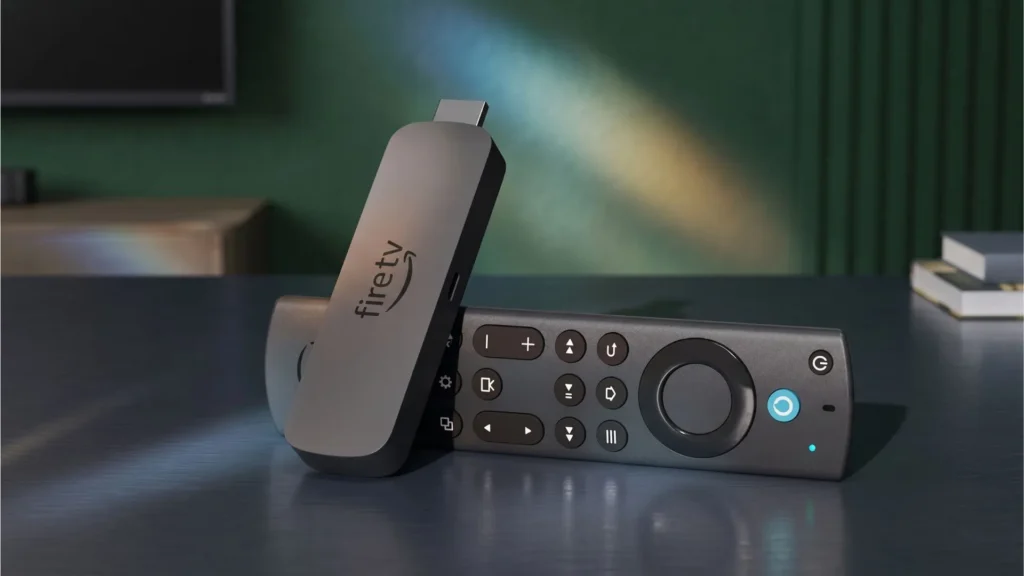
The Amazon Firestick is one of the most popular streaming devices in the world, and for a good reason. When paired with a premium service like AU IPTV Pro, it transforms your standard TV into a powerhouse of global entertainment, giving you access to thousands of live channels, movies, and TV shows.
However, because IPTV apps aren’t available in the official Amazon App Store, you cannot simply download them directly. You need to “sideload” them.
In this comprehensive guide, we will walk you through the exact, step-by-step process of setting up AU IPTV Pro on your Firestick. We’ve also included crucial SEO-optimized tips to ensure your streaming experience is buffer-free and high-quality.
What You Need Before You Start
Before diving into the setup process, make sure you have the following:
An Amazon Firestick (Lite, 4K, or 4K Max) connected to your TV and Wi-Fi.
An active AU IPTV Pro subscription. (You will need your M3U link or Xtream Codes API login details, which are sent to your email upon subscribing).
A stable internet connection (at least 15 Mbps for HD and 25 Mbps for 4K streaming).
Step 1: Prepare Your Firestick (Enable Unknown Sources)
Because we are sideloading a third-party application, Amazon’s default security settings will block the installation. You must enable “Apps from Unknown Sources.”
From your Firestick home screen, click the Gear icon (Settings) at the top.
Scroll right and select My Fire TV.
Click on Developer Options. (Note: If you don’t see this, go to About > highlight your Fire TV Stick name and press the middle button 7 times to enable developer options).
Select Install Unknown Apps.
Turn the toggle ON for the app you will use to download the IPTV app (we recommend using the Downloader app or your preferred browser).
Step 2: Install the Downloader App
The Downloader app is the easiest way to sideload APK files onto a Firestick.
Go back to the Firestick Home screen.
Click the Find / Search icon (magnifying glass).
Type Downloader and press Enter.
Select the Downloader app (orange icon) and click Download or Get.
Once installed, open the Downloader app and allow it to access your files when prompted.
Step 3: Install an IPTV Player
AU IPTV Pro provides the premium server and content, but you need an IPTV player to host the content on your Firestick. The best, most stable players for Firestick are TiviMate, IPTV Smarters Pro, or Televizo.
Here is how to install IPTV Smarters Pro using Downloader:
In the Downloader app, click on the URL Search Bar.
Type the following shortcode or URL to download the IPTV Smarters Pro APK (or use the specific APK link provided by AU IPTV Pro support).
Click Go.
The app will begin downloading. Once finished, a prompt will appear asking to install. Click Install.
Once installed, click Done. (You can now delete the APK file to save space on your Firestick).
Open the IPTV Smarters Pro app.
Step 4: Configure AU IPTV Pro on Your Firestick
Now that your player is installed, it’s time to load your AU IPTV Pro subscription.
Open IPTV Smarters Pro and click Accept.
Select Add New User.
Choose Login with Xtream Codes API (This is the most stable method for AU IPTV Pro servers).
Enter the details exactly as provided in your AU IPTV Pro confirmation email:
Any Name: (e.g., AU IPTV Pro)
Username: [Your AU IPTV Pro Username]
Password: [Your AU IPTV Pro Password]
Server URL: [Your AU IPTV Pro Server URL]
Click Login or Add User.
The app will now sync with the AU IPTV Pro servers. This may take a minute or two depending on the size of the VOD library.
Once loaded, you will see three categories: Live TV, Movies, and Series.
Congratulations! You have successfully set up AU IPTV Pro on your Firestick.
Why Choose AU IPTV Pro for Your Firestick?
When streaming on a Firestick, the quality of your IPTV service matters just as much as the device itself. Here is why AU IPTV Pro is the top choice for Firestick users:
Anti-Freeze Technology: Nothing ruins a live sports match like buffering. AU IPTV Pro utilizes advanced anti-freeze servers to ensure smooth, uninterrupted viewing.
Massive Content Library: Access over 20,000+ global live TV channels, including premium sports, news, and entertainment, alongside a massive VOD library of the latest movies and TV shows.
High-Quality Streaming: Enjoy channels in HD, Full HD, and 4K resolution, perfectly optimized for the Amazon Firestick 4K.
Australian & Global Servers: While tailored for the Australian market with local channels (FTA, Foxtel, Kayo), AU IPTV Pro offers robust global servers, meaning it works flawlessly anywhere in the world.
EPG (Electronic Program Guide): Full EPG support means you can see what’s currently playing and what’s coming up next, just like a traditional cable box.
Firestick IPTV Troubleshooting Tips
If you encounter any issues while using AU IPTV Pro on your Firestick, try these quick fixes:
App Crashing or Freezing: Go to Firestick Settings > Applications > Manage Installed Applications > select your IPTV Player > Clear Cache.
Channels Not Loading: Double-check your AU IPTV Pro username, password, and server URL for typos. Ensure there are no extra spaces before or after the text.
Buffering Issues: If you are experiencing buffering, test your internet speed. If your Wi-Fi is weak, consider using an Ethernet adapter for your Firestick.
Use a VPN: To protect your privacy and prevent your ISP from throttling your internet speed while streaming IPTV, it is highly recommended to use a reputable VPN on your Firestick.
Conclusion
Setting up IPTV on a Firestick might seem technical at first, but by using the Downloader app and an IPTV player like Smarters Pro or TiviMate, it takes less than 10 minutes. By following this guide, you have unlocked the full potential of your Amazon Firestick with AU IPTV Pro.
Ready to upgrade your entertainment? Ensure your AU IPTV Pro subscription is active, grab your Firestick remote, and start enjoying limitless global
Are you tired of paying exorbitant fees for traditional cable or being locked into restrictive NBN TV packages? You aren’t alone. Millions of Australians are cutting…
If you’re looking at IPTV in Australia for 2026, you’ll notice two things: wildly different prices and a lot of exaggeration. We’ve pulled pricing from established…